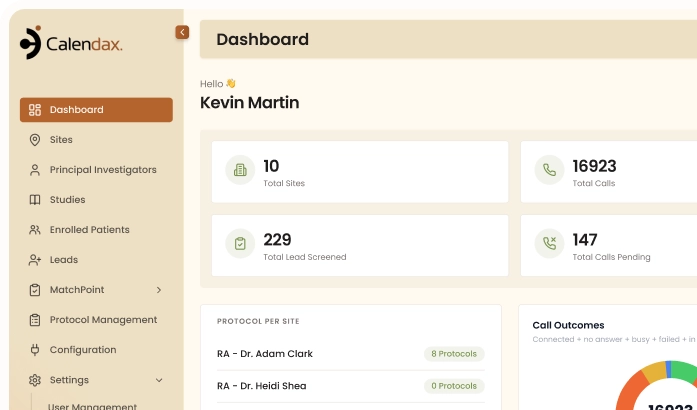
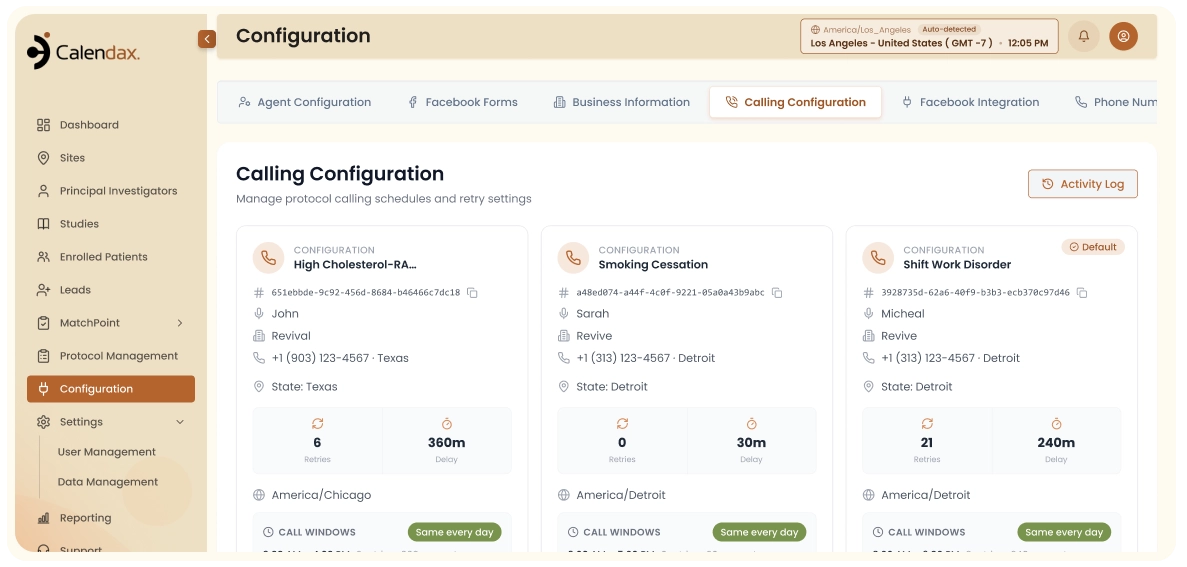
Define when the AI should act and how calls should run. Save your settings once, and Calendax follows them automatically for every new lead.
HOW IT WORKS
Three Steps to Full Control


1
1
Step 1 of 3
Set Your Triggers
Decide when actions happen, like a new lead arriving or a call being missed.
2
2
Step 2 of 3
Configure Calling Rules
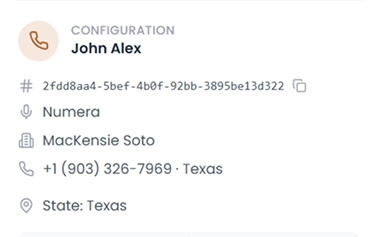
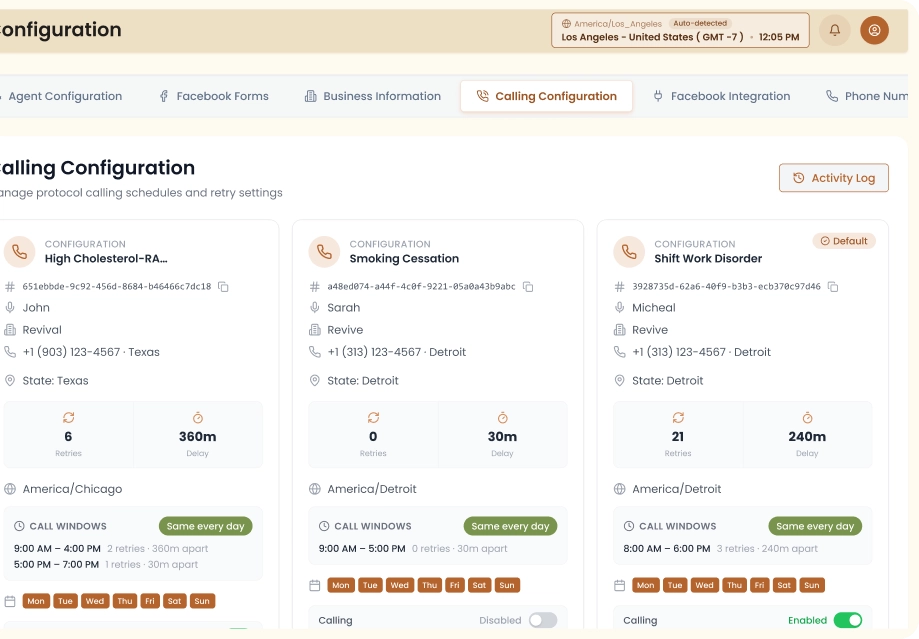
Set business hours, retry attempts, and delays between scheduled calls.
3
3
Step 3 of 3
Save and Activate
Calendax applies your settings automatically to every incoming lead from that point on.
THE PROBLEM
Why One Workflow
Doesn't Fit Everyone
A rigid workflow only causes friction when it doesn’t match how an organization already operates. Calendax removes that mismatch entirely.
01
Every Organization Works Different Hours
A calling schedule that fits one clinic’s business hours can be completely wrong for another site in a different time zone or region.
02
Fixed Rules Don't Fit Every Team
Some teams need three call attempts before giving up; others need ten. A one-size-fits-all retry policy rarely matches how any single organization actually runs.
03
Processes Change, Systems Often Don't
As a team’s process evolves, a rigid system usually requires a request to the SaaS admin or a manual workaround just to keep up.
THE IMPACT
Your Team Decides How Recruitment Runs
With Calendax, changing a rule in configuration takes a few clicks, not a support ticket or a call to the admin. Every setting conveniently stays in your team’s hands.

Hours That Match Every Site
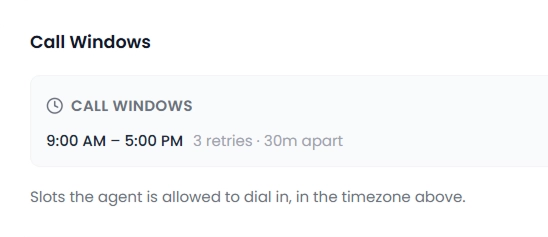
Each site can run its own calling schedule and business hours, instead of one fixed window applied everywhere regardless of location.

Calling Preferences That Fit Your Team
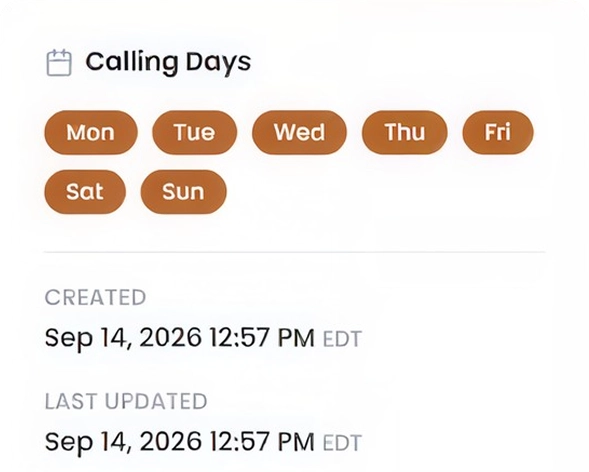
Set the exact number of call attempts, delays between calls, and business hours to match how your team operates.

Change Anything, Anytime, Yourself
When a process shifts, update the rule directly in Calendax, without needing a technical expert or the SaaS admin.
SEE IT YOURSELF
Ready to Set This Up for
Your Own Recruitment Team?
A generic default calling schedule rarely matches how your team actually operates. See how quickly you can set your own hours, retry attempts, and voicemail rules to match your process exactly.
- Configure this yourself, without needing a developer’s help.
- Set up entirely different rules for every single site.
- Add new sites without adding any real complexity.
- Reach patients during the hours that best fit them.
Let’s Get Started
BETTER TOGETHER
Where It Comes into Play

Automated Call Intelligence
Every calling rule you set here, including business hours, retry attempts, and retry intervals, directly controls how and when the AI agent contacts each lead.

Patient Import
A new lead arriving is one of the events your workflow can act on, initiating the process that you have already configured.

AI Call Intelligence
When AI Call Intelligence marks a lead as qualified automatically, that status change can trigger whatever action you’ve configured next.
FAQs
Before You Ask
Setting up custom workflows for a study is fairly simple, but a couple of details are worth clarifying first.
Talk To The TeamContact Us
Do I need technical help to set this up?
No. Every setting is configured directly in Calendax’s Configuration section; no code or developer involvement required.
Can different studies use different calling rules?
Yes. Each study can have its own calling configuration, so rules for one study don’t affect another.
How does Calendax know when to act on a new lead?
The AI agent automatically responds to events like a new lead arriving or a missed call, once your calling configuration is set.
Does this affect Live Calling too, or just the AI agent?
These settings mainly govern automated AI calling behavior. Live Calling remains a direct, manual action your coordinators control.
Can I change these settings after they're live?
Yes. Update your workflow and configurations anytime as your team’s process changes, without needing to start over.
Can I set different rules for different sites?
Yes. Business hours and calling windows can be configured separately for each site, so local schedules are always respected.
Ready to Make Recruitment More Efficient?
See how Calendax can help your team turn more opportunities into qualified, engaged patients.