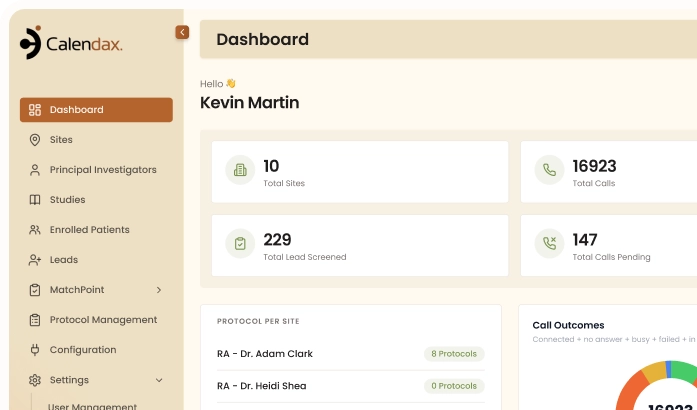
Live Calling guides research teams through a structured, fully documented screening call, from the first dial to a completed screening.
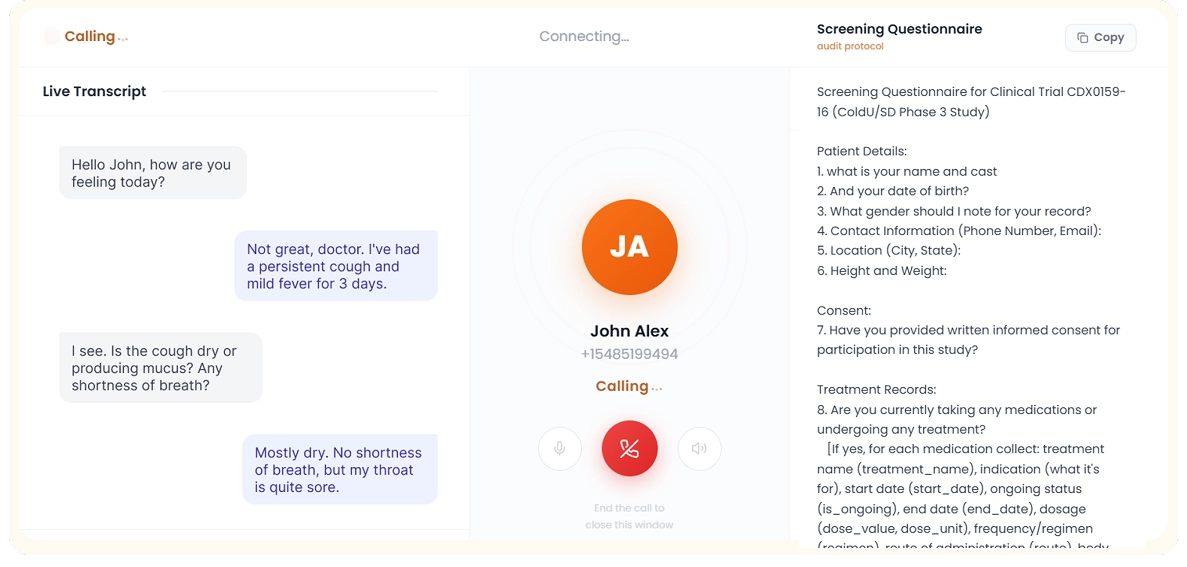
Quick Call Setup
Screen Patients Instantly

1
1
Step 1 of 3
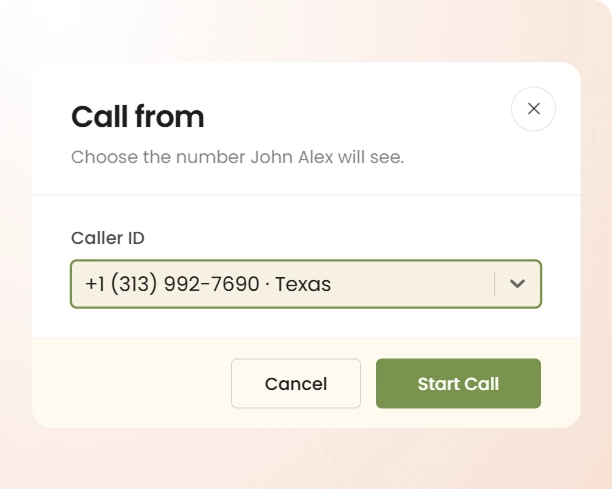
Start the Call
Open the patient profile and launch a live call instantly.
2
2
Step 2 of 3
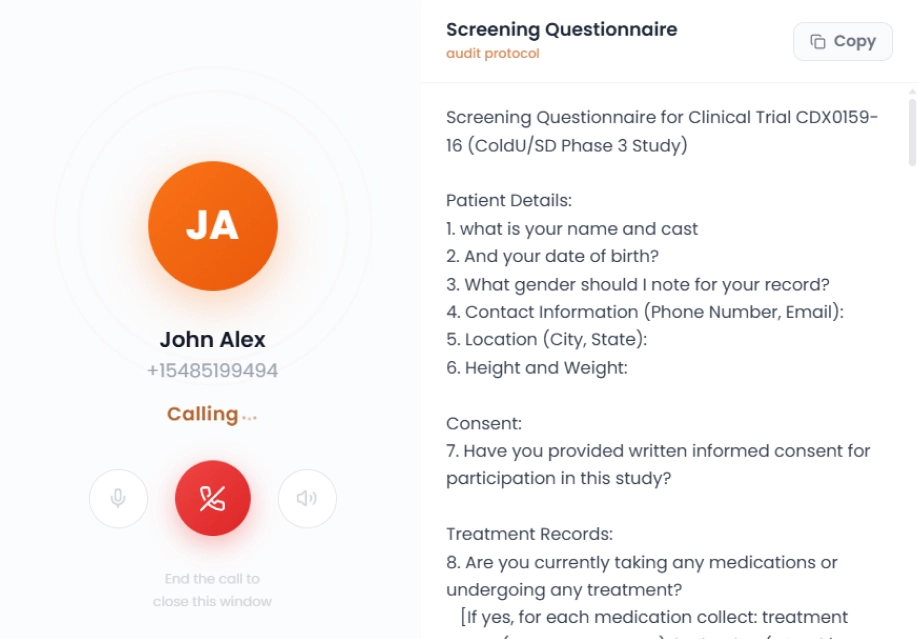
Follow Guided Questions
Approved screening questions appear on screen once the protocol questionnaire is connected to the lead.
3
3
Step 3 of 3
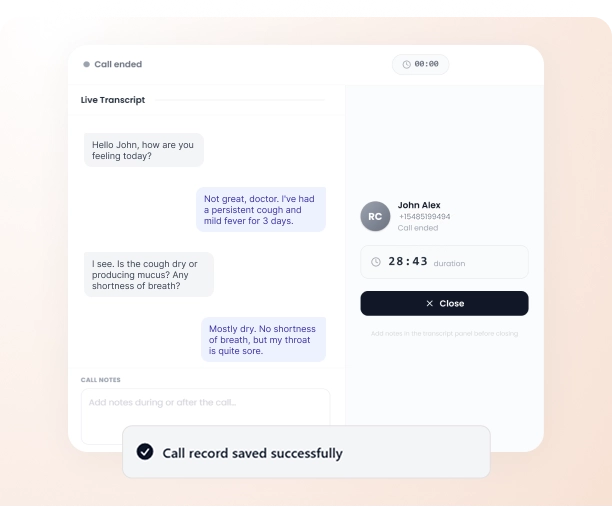
Save Automatically
Transcripts, notes, and responses save automatically to the patient profile.
THE PROBLEM
Here's What Live Calling
Helps You Solve
Calendax standardizes every screening call with guided questions, live transcripts, and automatic documentation to eliminate gaps in patient records.
01
Inconsistent Screening Question Coverage
Without on-screen guidance, users may forget or skip protocol questions, leading to incomplete or inconsistent screening records.
02
Scattered and Delayed Documentation
Notes and responses written after the call often lose detail, making it harder to review patient screening history.
03
Screening Data Across Disconnected Systems
Screening information often lives across calls, spreadsheets, and separate tools, making it difficult to track a patient’s history.
THE IMPACT
Structured Calls Lead to Better Screening
Live Calling keeps every screening call organized and fully documented, giving research teams the structure and consistency clinical trials require.

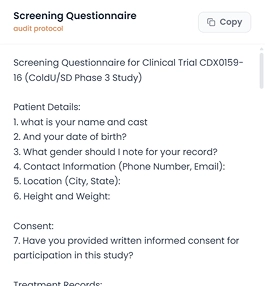
Consistent Question Coverage
Protocol-approved questions guide every call, helping teams consistently ask the right questions every single time.

Real-Time Call
Transcripts
Live transcripts capture the full conversation as it happens, removing the need for manual note-taking.


Automatic Profile Documentation
Once the call ends, transcripts, notes, and screening outcomes save automatically to the patient’s profile for easy review.

Ready to move?
Bring Structure to Every
Screening Call Today
Calendax helps research teams run consistent, well-documented screening calls from start to finish, replacing scattered notes, missed questions, and disconnected systems with one clear, organized workflow.
- Ask the right questions every time.
- Capture conversations with live, accurate transcripts.
- Save screening data directly to patient profiles.
- Keep every screening call fully documented.
Start Live Calling
Explore More
Discover Other Ways Calendax Simplifies Screening

Lead Mapping
View a lead’s complete medical record in one place, giving research teams full context before every screening call.

Text Messaging
Reach patients directly through Quick Actions, keeping follow-ups fast without leaving the Lead Management workflow.

Patient Import
Bring in leads directly from Meta Ads, feeding new patients into Calendax without manual data entry.
FAQs
Live Calling FAQs
Answers to common questions about how Calendax’s Live Calling feature works, what it captures, and how it fits into patient screening.
Start Live CallContact Us
What is live calling in Calendax?
Live Calling lets research teams call patients directly from Calendax while displaying protocol-approved screening questions in real time during the call.
Does Calendax record screening calls automatically?
Yes, Calendax generates a live transcript during each call and automatically saves it to the patient’s profile once the screening ends.
Can users take notes during a live calling session?
Yes, users can add notes throughout the call to capture observations, which are saved alongside the transcript and screening responses.
Where is patient screening data saved after the call?
All screening responses, transcripts, notes, and call outcomes save automatically to the patient’s profile for future reference and review.
How does live calling improve screening consistency?
By displaying approved questions on screen during the call, Calendax helps ensure every patient is screened using the same protocol criteria.
Where can users access live calling in Calendax?
Live Calling is accessible through the Quick Actions tab within Lead Management, allowing teams to start calls directly from patient profiles.
Ready to Make Recruitment More Efficient?
See how Calendax can help your team turn more opportunities into qualified, engaged patients.