
Key Takeaways
- Pre-screening saves site time by filtering unqualified patients early.
- Translating complex protocols into simple questions cuts screen failures.
- Centralized workflows prevent lost leads and speed up enrollment.
- AI handles repetitive checks while coordinators handle clinical judgment.
Quick Answer
Clinical trial pre-screening accelerates recruitment, reduces screen failures through standardized protocols, and leverages smart automation to optimize site workflow efficiency.
Finding the right patients is often harder than running the study itself. One wrong enrollment can cost a site weeks of work, and that is why clinical trial screening matters so much.
So what is the fix? It starts earlier, with a quick check called pre-screening. It is a first look at whether a patient might fit a study, before anyone books a full screening visit.
This guide covers the pre-screening meaning, how the process works, why patients fail, and where AI fits in. Moreover, you will find steps your site can use right away.
What Is Pre-Screening in Clinical Trials?
Let’s start with the basics, because people use this term in slightly different ways.
So, what is pre-screening? It is a short, early check that shows whether a patient could qualify for a study. You ask a few questions, compare the answers with the main inclusion and exclusion criteria, and decide if a full visit makes sense. In short, the pre-screening process comes down to saving everyone’s time before the real paperwork begins.
Formal screening is a different step. It happens at the site after informed consent, and it includes labs, tests, and procedures. Pre-screening usually happens by phone, online form, or message. It also relies on information the patient already knows.
Three groups benefit from a good pre-screen:
- Sites spend fewer hours on patients who will never qualify.
- Sponsors get cleaner and more predictable enrollment numbers.
- Patients hear a clear answer fast instead of waiting weeks.
However, pre-screening is not a promise. A patient can pass the first check and still fail at the visit. That gap matters a lot, and we will come back to it.
What Are Inclusion and Exclusion Criteria?
Before you ask a single question, you need to know the rules of the study. Those rules live in the inclusion and exclusion criteria.
Inclusion criteria describe who can join. Exclusion criteria describe who cannot. A patient must meet every inclusion point and none of the exclusion points.
For example, a study may accept adults aged 18 to 65 with a confirmed diagnosis. It may also rule out anyone who is pregnant or who takes a certain medication.
Moreover, some criteria are easy to check by phone, like age or diagnosis. Others, like lab values, need a clinic visit. So, pre-screening should cover the first group only.
Why does this matter? Clear criteria cut down on screen failure in a clinical trial. We will look at real examples of how to screen patients against them in a separate guide.
Once you know the criteria, the next question is how the pre-screening process puts them to work.
How Does the Pre-Screening Process Work?
Most sites follow the same basic path. Here is how the pre-screening process usually runs, from first contact to a booked visit.
| Step | What happens | Who handles it |
|---|---|---|
| 1. Intake | Contact details and basic health history are collected | Coordinator or intake team |
| 2. Eligibility check | Answers are compared with protocol criteria | Coordinator |
| 3. Rerouting | A patient who misses one study gets checked for others | Coordinator |
| 4. Scheduling | Qualified patients receive a screening visit | Scheduler |
Phone calls and texts carry most of this work. That is where tools make a real difference.
With Live Calling, your team asks protocol-approved questions during the call. Once a questionnaire is connected to a lead, those questions show on screen, so nobody works from memory.
Text Messaging covers the other side. Your team can send visit reminders and instructions by SMS. It is outbound only, so patients still reply by phone or through your usual channels.
How Do You Turn a Protocol into Pre-Screening Questions?
Here’s the thing about protocols. They are long, technical, and written for sponsors, not for patients on the phone.
So, your team needs a translation step. Each criterion becomes a short, plain question. A line about “history of cardiovascular events within six months” turns into “Have you had a heart attack or stroke in the last six months?”
A few habits make this easier:
- Start with the criteria that rule out the most patients.
- Use everyday words, not medical terms.
- Keep each question to one idea.
- Get investigator or sponsor approval before you use the questionnaire.
However, a good questionnaire takes time to build. Rushing it creates the same errors you wanted to avoid. We will cover this process step by step in a dedicated guide.
Even a well-built questionnaire can’t stop every failure, so let’s look at why patients still drop out at screening.
Why Do So Many Patients Fail Screening?
A screen failure clinical trial result is never just one number. Each failure has a reason, and most reasons are easy to spot once you track them.
Here are the common causes, along with a simple fix for each:
| Common reason | What it looks like | Simple fix |
|---|---|---|
| Unclear criteria | Staff read the protocol differently | Use one approved questionnaire |
| Incomplete history | Patients forget medications or past diagnoses | Ask them to gather records first |
| Rushed pre-screen | Key questions get skipped | Give coordinators a set script |
| Lab or test results | Values fall outside the allowed range | Flag borderline cases early |
Now, how do you measure this? Knowing how to calculate screen failure rate takes one line of math. Divide the patients who failed screening by the patients screened, then multiply by 100.
| Patients screened | Patients who failed | Screen failure rate |
|---|---|---|
| 40 | 12 | 30% |
| 25 | 5 | 20% |
These numbers are samples, not benchmarks. Still, tracking your own rate each month shows you where time disappears. A high rate means extra visits, extra tests, and extra budget spent on patients who never enroll.
Of course, failures are only one piece of the puzzle.
Current Challenges in Clinical Trial Patient Recruitment and Enrollment
Many coordinators tell us the same story. Patients are out there, but the work around them is messy.
These are the current challenges in clinical trial patient recruitment and enrollment that come up most:
- Spreadsheets that live on one person’s laptop.
- Phone-based pre-screening with no shared notes.
- Calendars that do not match the lead list.
- Missed calls that turn into lost patients.
- Qualified patients who miss one study and never hear about another.
- Patient recruitment for clinical trials depends on speed. A lead who waits three days for a callback often moves on.
- Research has found that approximately 80% of clinical trials fail to meet their enrollment timelines, making recruitment speed a major operational concern. Meanwhile, your coordinator is still trying to read last week’s handwriting.
On the other hand, none of this is a staff problem. It is a tooling problem. Good people end up stuck with weak systems. So, what actually helps?
Clinical Trial Recruitment Strategies That Actually Work
You do not need a huge overhaul. Small, steady changes usually bring the best results. Here are clinical trial recruitment strategies worth testing at your site:
Reply Fast.
Contact new leads the same day if you can.
Standardize questions.
One approved questionnaire per study keeps answers consistent.
Reroute Smartly.
Check every patient against all open studies, not just the one they called about.
Track The Source.
Know which channels bring qualified patients and which bring noise.
Follow-up In Writing.
A short reminder before the visit cuts no-shows.
Decentralized research adds another layer. When you handle recruiting and pre-screening in decentralized research, patients may never visit your office until later. Phone, video, and text carry the whole first stage. Therefore, your records need to stay clean and easy to audit from day one.
Who Should Handle Pre-Screening on Your Team?
Sites split this work in different ways, and no single setup fits everyone.
Some sites let coordinators make every call. Others use a dedicated recruitment or intake team. Smaller sites often share the work between a coordinator and a front desk staff member.
Whichever model you choose, a few rules hold up:
- Train everyone on the same questionnaire.
- Decide who has the final say on borderline cases.
- Keep one shared record, not private notes.
- Ask the investigator to review any unclear eligibility call.
Moreover, staff turnover can break a good system. Therefore, write your process down so a new hire can pick it up in a day or two.
On the other hand, don’t expect the process to stay fixed forever. Studies change, and your team has to change with them.
What Happens When the Protocol Changes?
Protocols rarely stay the same for the whole study. Sponsors issue amendments, and criteria can shift.
A new age range, a new exclusion, or a changed lab limit can all affect your questionnaire. If your team keeps asking the old questions, you may pre-screen patients against rules that no longer apply.
Here is a simple way to stay on track:
- Check each amendment for changes to eligibility.
- Update the questions and get them approved.
- Retire the old version so nobody uses it.
- Tell your staff what changed and why.
Also, note the date of each change. That record helps during audits and sponsor reviews. We plan to share a full walkthrough of this process in an upcoming guide.
Updates like these take a lot of manual effort, which is exactly where automation starts to help.
Can AI Take Over Pre-screening?
Partly, yes. However, the word “take over” is too strong.
AI pre-screening works best on repeatable tasks. It can ask the same approved questions, record answers, and flag likely matches. AI voice agents for clinical trial screening can handle the first call, which helps when leads arrive at night or on weekends. Automated clinical trial screening also removes a lot of copy-and-paste work from your day.
Still, people matter. A coordinator reads tone, catches confusion, and decides what to do with unclear answers. AI gives them a head start, not a replacement.
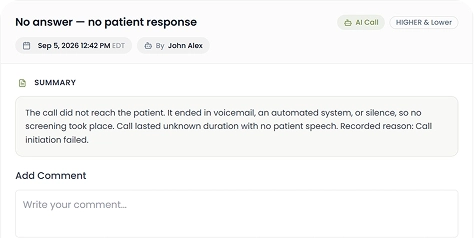
Quality records matter, too. Call Recording lets your team review conversations, check that questions were asked correctly, and keep an audit trail. That helps with training and with sponsor questions later.
How Calendax Helps Your Site Pre-screen Faster
Most sites still pre-screen with spreadsheets, handwritten call notes, and separate calendars. Leads get missed, answers get lost, and coordinators spend more time on admin than on patients.
A shared system fixes much of this. When intake, eligibility checks, rerouting, scheduling, and patient tracking live in one place, your team always knows where each lead stands. That is the idea behind Calendax, an AI-powered platform for patient screening and scheduling.
A few features cover the steps we discussed above:
- Live Calling keeps approved screening questions in front of your team during the call.
- Text Messaging sends outbound reminders and instructions before the visit.
- Call Recording keeps a reviewable record of each conversation.
Together, these tools cut down on manual work and keep your process consistent from the first call to the booked visit.
All intake data and recordings in Calendax are fully HIPAA-compliant and built for GCP audit readiness.
Conclusion
Pre-screening may look like a small step, but it shapes almost everything that comes after it. A clear early check saves your coordinators time, keeps your sponsor’s timeline on track, and gives patients a faster answer. It also makes clinical trial screening less stressful for the whole team.
The sites that do this well usually share a few habits. They start with clear criteria, ask the same approved questions every time, and keep good records. They also treat automation as a helper for repeat tasks, while people stay in charge of judgment calls.
Every site is different, so start with the part of your process that slows you down the most. A small fix there often makes the biggest difference.
Frequently Asked Questions
What is pre-screening in clinical trials?
Pre-screening is an initial check using basic questions to evaluate if a patient likely meets study inclusion and exclusion criteria before formal screening.
How does pre-screening differ from formal clinical trial screening?
Pre-screening happens early via phone or web using existing health data. Formal screening occurs on-site after informed consent, involving medical tests and procedures.
How do you calculate the screen failure rate in a clinical trial?
Divide the number of patients who failed formal screening by the total number of patients screened, then multiply the result by 100.
Why do patients fail clinical trial screening after pre-screening?
Common causes include vague criteria interpretations, incomplete medical history provided by patients, unscripted pre-screens, and lab values falling outside allowed protocol ranges.
How does AI assist in clinical trial pre-screening?
AI handles repetitive tasks like standardizing initial questionnaire intake, recording responses, flagging potential patient matches, and routing incoming leads after-hours for coordinator review.